|
Measurement Collection Technology |
ProCable
Connects RS-232 Devices to Digital Gage Interfaces
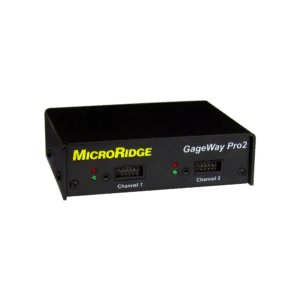
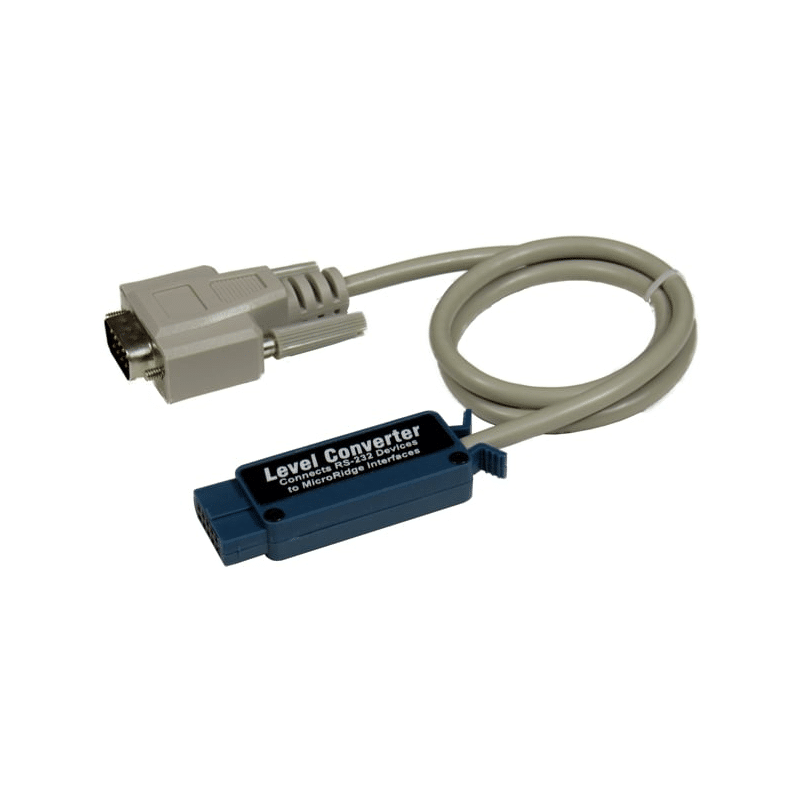
The ProCable is a unique interface that converts data from RS-232 serial devices to a standard Mitutoyo gage format. A Mitutoyo gage format consists of the sign of the measurement (+ or -), 6 measurement digits, location of the decimal point and units (inch or millimeters). You cannot send non-numeric data with a Mitutoyo gage format. The ProCable can be used with the GageWay3, GageWay5, Mx4, Mx8 interfaces and Mitutoyo-compatible interfaces from other manufacturers.
For an overview of the multiple methods available from MicroRidge for connecting RS-232 devices to interfaces, refer to RS-232 Connection Options.
Unique ProCable Features
The following features found on the new ProCable are not available on
RS-232 to Mitutoyo converters from other manufacturers.
|
1
Versus 100
Cables that convert RS-232 data into a Mitutoyo format are available
from MicroRidge and other companies. The MicroRidge approach has been to
design one cable that will work with all serial devices. With the ProCable
you just connect your new serial device to the ProCable, train it and you are
ready to go. Other companies
have chosen to require the user to buy a different model cable for virtually
each serial device. As a result, these cables are very much device
specific and typically can only be used with that one serial device. When
you want to use a different serial device with your RS-232 to Mitutoyo converter
from these companies, you will probably have
to purchase another converter before you can connect your new serial device.
Training Your RS-232 to Mitutoyo Converter
The ProCable, like serial to Mitutoyo converters from other
manufacturers, has to be trained to learn the baud rate and communication
parameters that are being used by the serial device. The training process
for the RS-232 to Mitutoyo converters requires you to press the print/send
button on your serial device. For the ProCable, you only need to press
this button once. For other manufacturers, you have to press the button
multiple times.
When the ProCable is trained, it never forgets. When you have trained a ProCable and unplug it from the interface (which powers the ProCable) and reconnect it to an interface, the ProCable remembers the previous parameters and configures itself with those parameters. With devices from other manufacturers, every time you reconnect that device to a gage interface, you have to retrain it. The user should not be required to retrain or reconfigure their serial to Mitutoyo converter every time it is plugged in.
When to Choose the ProCable Solution:
You do not know what the baud rate and communication parameters are, and you want the ProCable to determine them for you.
You know what the baud rate and communication parameters are but you want the ProCable to set them for you.
If you do not want to retrain your RS-232 to Mitutoyo converter every time you plug it into an interface.
Complete ProCable Package
The ProCable can be used with any
interface that supports Mitutoyo gages (interface must supply 5 volt DC
power on pin 9). The MicroRidge interfaces that support the ProCable
include the GageWay Series (GageWay3 and GageWay5) and the Mx interfaces
(Mx4 and Mx8).
ProCable with built-in 36" serial cable. The 9-pin connector is a DB9 male configured to look like standard PC serial port.
6' 9-pin serial extension cable (DB9 Female to DB9 Male).
6' 9-pin Null Modem cable (DB9 Male to DB9 Male). This cable is used in conjunction with the Setup Program to configure the ProCable.
CD with ProCable Setup Program and serial communications test program (ComTestSerial).
Operations Manual (PDF file on CD).
This solution costs $135
Copyright © 2008 MicroRidge Systems, Inc.
All Rights Reserved.
Revised August 20, 2008