
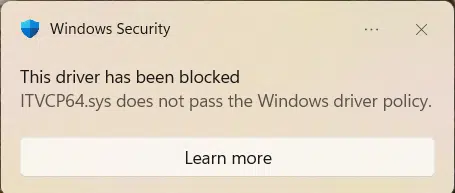
“This driver has been blocked. ITVCP64.sys does not pass the Windows driver policy.”
Current: 6/5/2026
This post is also available in: English Español (Spanish) Deutsch (German) Français (French)
If you plugged in your Mitutoyo USB Input Tool (264-016-10) recently and saw this message:
“This driver has been blocked. ITVCP64.sys does not pass the Windows driver policy.”
You’re not alone, and it’s not a hardware failure. Your device is fine. The problem is a Windows security policy change that took effect in April 2026.
Microsoft’s April 2026 security update ended trust in a legacy driver signing program that had been in use for years. Starting with Windows 11, the OS now requires kernel-mode drivers to be signed through Microsoft’s Windows Hardware Compatibility Program (WHCP). Drivers signed under the older cross-signed certificate program (including ITVCP64.sys, the VCP driver used by the Mitutoyo IT-016U) are no longer loaded by default.
This isn’t a Mitutoyo-specific issue. The same update has broken USB serial drivers for laser engravers, backup software, industrial controllers, and other equipment across the manufacturing and engineering industries. The common thread: legacy kernel drivers that were never re-submitted to meet current WHCP signing requirements.
The 264-016-10 (IT-016U) operates in two modes: HID keyboard (no driver needed) and VCP serial mode, which requires ITVCP64.sys. If you’re using USB-ITPAK or any application that communicates with the device over a COM port, you’re dependent on the VCP driver, and that’s the mode now blocked.
MicroRidge’s GageWay single-gage interfaces are compatible drop-in replacements for the IT-016U and work with the same Digimatic-compatible gages. Two models cover the same use cases:
GageWay KW: USB keyboard wedge output. Operates as a standard HID device (the same device class as a USB keyboard or mouse), so no driver installation is required. If you’re sending data into Excel, Access, or any application that accepts keyboard input, the KW is the direct functional equivalent of the IT-016U in HID mode. Plug in and start collecting.
GageWay SM: USB serial (VCP) output for applications that communicate over a COM port, including SPC software, LIMS, MES, and custom applications. Pre-configured at 9600-N-8-1; no baud rate setup required. Unlike the IT-016U, the GageWay SM does not have this problem. It uses the FTDI VCP driver, one of the most widely deployed and actively maintained USB serial drivers in the industry, which meets current Windows driver signing requirements.
Both are powered by USB, support single and continuous read modes, include a read switch port for foot or hand switch input, and are designed and manufactured in the USA.
Your application receives data via… | Interface |
|---|---|
Keyboard input (Excel, web forms, cloud SPC) | GageWay KW |
COM port / USB serial (MeasurLink, InfinityQS, custom apps) | GageWay SM |
Both are the same price. The choice is determined entirely by how your software receives data, not by the gage.
Questions about compatibility with your gage or software? Contact us and we’ll confirm the right fit before you order.